A Chrome extension that does the busywork
Runs the repeat steps in BuilderTrend and other web apps with one click.
Follow-ups, reminders, reports and data entry run on their own, inside the tools your team already uses.
Updated 9 November 2026

Buttons inside BuilderTrend, Salesforce and other web apps your team uses all day. Built for SurfaceFlow.
See SurfaceFlow
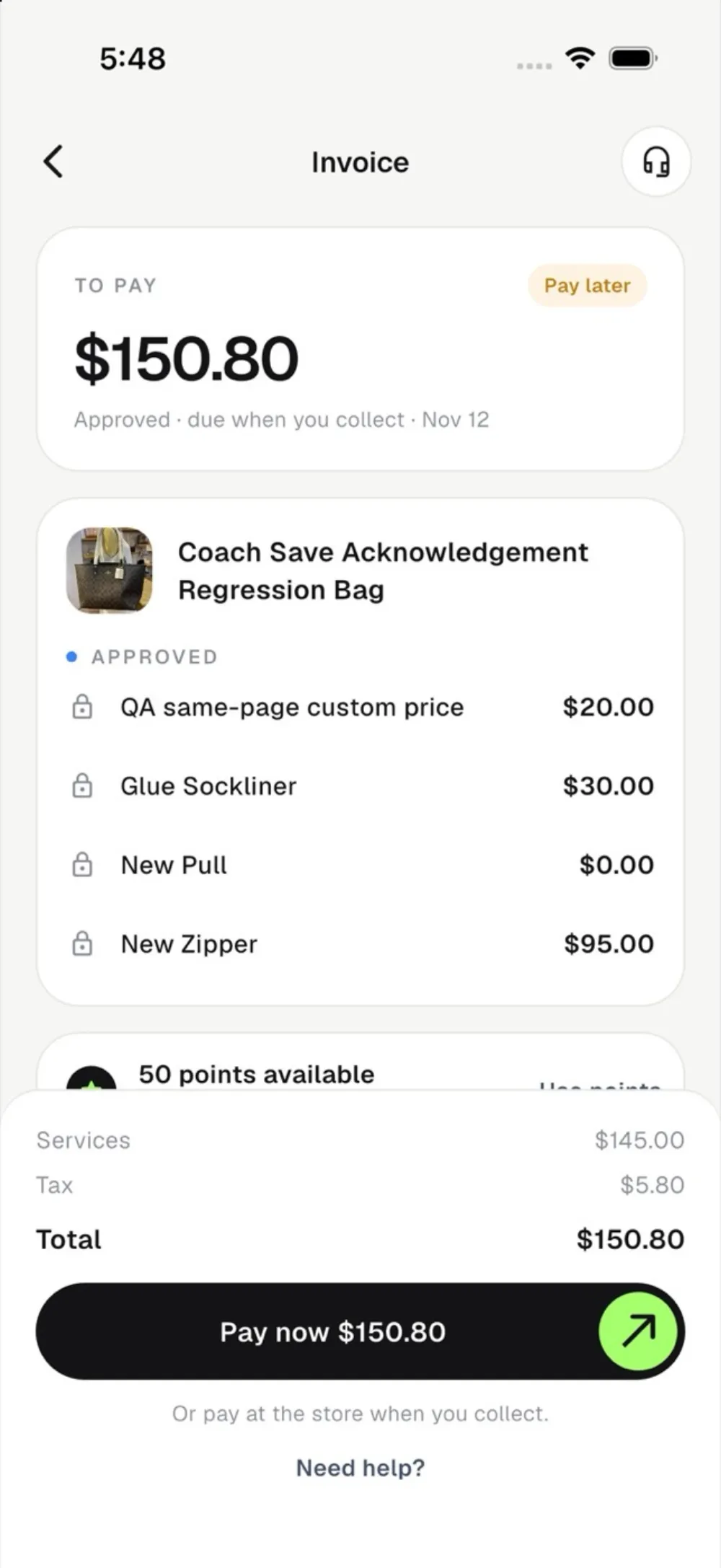
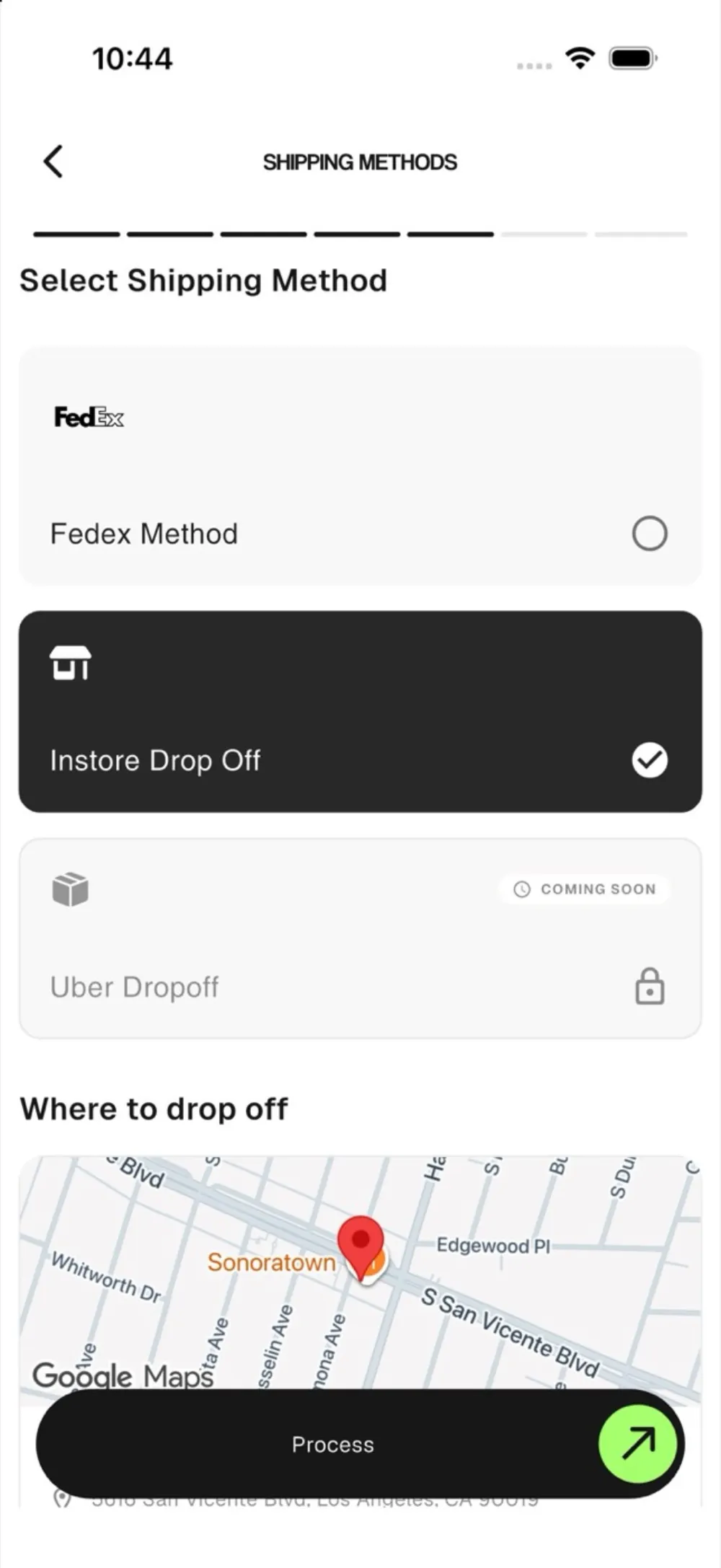
Payment, FedEx label and customer update linked together, as built for Upkeep.
See Upkeep
Business automation means software does the repeat steps so people do not. A new lead gets a reply and a CRM record, an overdue invoice gets a reminder, a report lands in your inbox each morning. We build these with n8n, Python, APIs and browser extensions, and connect them to the tools you already use.
An automation starts with a trigger, such as a new order or a new lead. From there the data travels to each tool that needs it: the CRM gets a record, payment is checked, a FedEx label is made, an email goes out and a call is booked. Nobody copies anything by hand.
Six examples are shown here: a Chrome extension for a sport-court installer, payments and shipping connected for a restoration business, and four more, which are lead follow-up, invoice reminders, a social calendar and a morning report.
Runs the repeat steps in BuilderTrend and other web apps with one click.
Payments, FedEx shipping and order updates connected from first quote to delivery.
New leads get a reply, a CRM record and a booking link without anyone touching them.
Overdue invoices get reminders and a payment link until they are paid.
Next week's posts are written, checked and scheduled across every channel.
Numbers from ads, leads and calls pulled together and emailed before the day starts.
Keep scrolling to see all six.
You get a ranked list of your repeat tasks, a plan before anything is built, and automations that run inside the tools your team already uses. A person approves any step involving money or customers, and we keep monitoring and fixing them when your tools change.
We build in six steps: find the repeat work on a free call, pick the best first automation, map triggers and approvals, build it, test it on real cases and switch it on while we watch. You see it working before it touches a customer.
Neither wins everywhere. Manual work suits anything that needs judgement or a human touch. Automation suits steps that repeat with clear rules, like copying data, sending reminders and compiling reports. Most businesses automate the repeat steps first and keep people for decisions. This table compares them plainly.
| Done by hand | Automated by us | |
|---|---|---|
| Repeat steps | Someone copies, pastes or chases each time | Runs on its own when the trigger happens |
| Speed of follow-up | When someone gets to it | As soon as the lead, order or due date arrives |
| Consistency | Depends on who is working and how busy they are | Same rules every time |
| Judgement and exceptions | A person decides | A person still decides, at approval steps |
| Getting started | Nothing to set up | Needs mapping and testing on real cases first |
| Keeping it working | Training new staff | We monitor it and fix it when a tool changes |
An automation follows fixed steps: when X happens, do Y. An AI agent decides what to do within limits, such as answering a call or researching a lead. Most businesses start with automations and add agents where judgement is needed. We build both and connect them.
We build with n8n, Python, APIs and Chrome extensions, and connect them to email, CRM, calendar, spreadsheets, payments and shipping. We choose what fits your stack instead of forcing a platform, and we explain the options plainly. Hosting and usage costs for AI or phone services are separate from the build.
When it needs judgement, empathy or accountability, a person should stay in it, and we tell you honestly when that is the case. Wherever money or customers are involved we add an approval step. You decide which steps may run alone, after you have watched them work on real cases.
Our automations work inside your tools, keep people in charge with approval steps, and run in our own business too: lead follow-up, the content calendar and a morning report. Haris, the founder, scopes and builds the work, and we say so when a step should stay manual.
SurfaceFlow is a Chrome extension we built for Surface Sport Surfaces, a sport-court installer, that adds buttons inside BuilderTrend and Salesforce. Upkeep, a restoration business, has quote, payment, FedEx label and customer update connected. Open the case studies to see the screens and how each was built.
A Chrome extension that adds one-click buttons inside BuilderTrend and Salesforce. A person approves by text before money is spent.
Read the case study →Quote, payment, FedEx label and customer update connected for a restoration business.
Read the case study →Where a step needs judgement, an AI agent can take it on: answering calls, calling leads back, posting content.
Meet the AI agents →Also see custom software, mobile apps, how we work and all our work.
Any repeat step with clear rules: replying to new leads, adding records to your CRM, booking calls, chasing unpaid invoices, sending order updates, creating shipping labels and compiling reports. AI helps when the step needs reading or writing, like drafting a reply or pulling details from an email. We choose the biggest time savers first.
Connect the apps so data moves on its own. We use APIs, n8n workflows and, when an app has no API, a Chrome extension that fills in the page for you. Your team keeps working in the same tools, and a button or trigger does the copying and checking.
Yes. For SurfaceFlow we built a Chrome extension that adds buttons inside BuilderTrend and Salesforce. One click reads the job details from the page and runs the automation on our backend, such as booking crew hotels or enriching a lead. We do not need to replace those tools.
Yes. A daily check finds overdue invoices, sends a friendly reminder and a payment link, and marks the invoice paid when the money arrives. You choose the wording, timing and when a person should step in. We connect this to your accounting or invoicing tool, depending on what you use.
We keep a person in the loop for those steps. SurfaceFlow, for example, texts the project manager a YES or NO before any booking is paid. Messages to customers can be drafted for approval first. You decide which steps run alone after you have seen them work.
We do not guess before looking at your work. After the free call we list your repeat steps and estimate hours. We do not publish saved-hours numbers for past projects because we have not measured them with clients. You get an honest estimate for your case.
n8n, Python, APIs and Chrome extensions, connected to tools like email, CRM, calendar, spreadsheets, payments and shipping. We choose what fits your stack rather than forcing a platform, and we explain the options plainly. Hosting and usage costs for AI or phone services are separate from the build.
Small ones can be quick; larger ones are built in milestones. We scope first and do not promise fixed dates before the work is defined. You see each automation working on real cases before it goes live, so there are no surprises.
Book a free call. We list your repeat tasks and tell you which automation saves the most time first.
Build my project