
Armada: rent a car in a few taps, or list yours
Renting a car should not mean calling around, and owning one that sits idle is a waste. We designed two phone apps for one marketplace: a renter app to find and book a car, and a host app for owners and rental companies.
What did BetterAI build for Armada?
The design of a car rental marketplace as two phone apps. Renters search by city and dates, use a map and filters, open a car, book in three steps with a clear price and deposit, and pay from a wallet. Hosts list cars, track bookings and manage a wallet.
What problem does Armada solve?
Renters want to find a nearby car, see the full price and book without back and forth. Owners and small rental companies want a simple way to list cars and handle bookings and payments. Armada puts both sides in one marketplace, each with an app built for its job.
See the full case study
What we built, the real screens, how it works and the tech behind it. Free, about 20 seconds.
What we built
Two apps on one marketplace: one for renters, one for hosts.
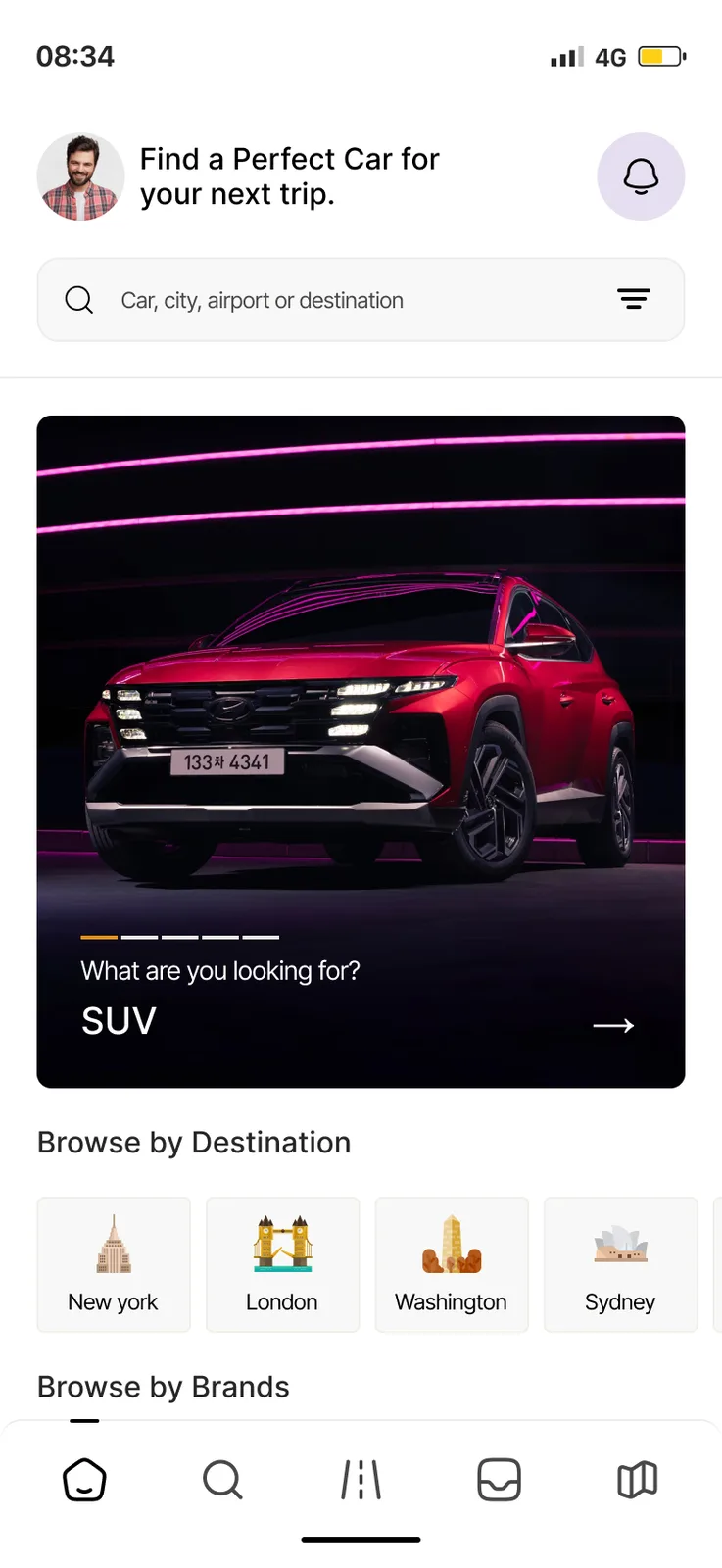
Find a car by place and date.
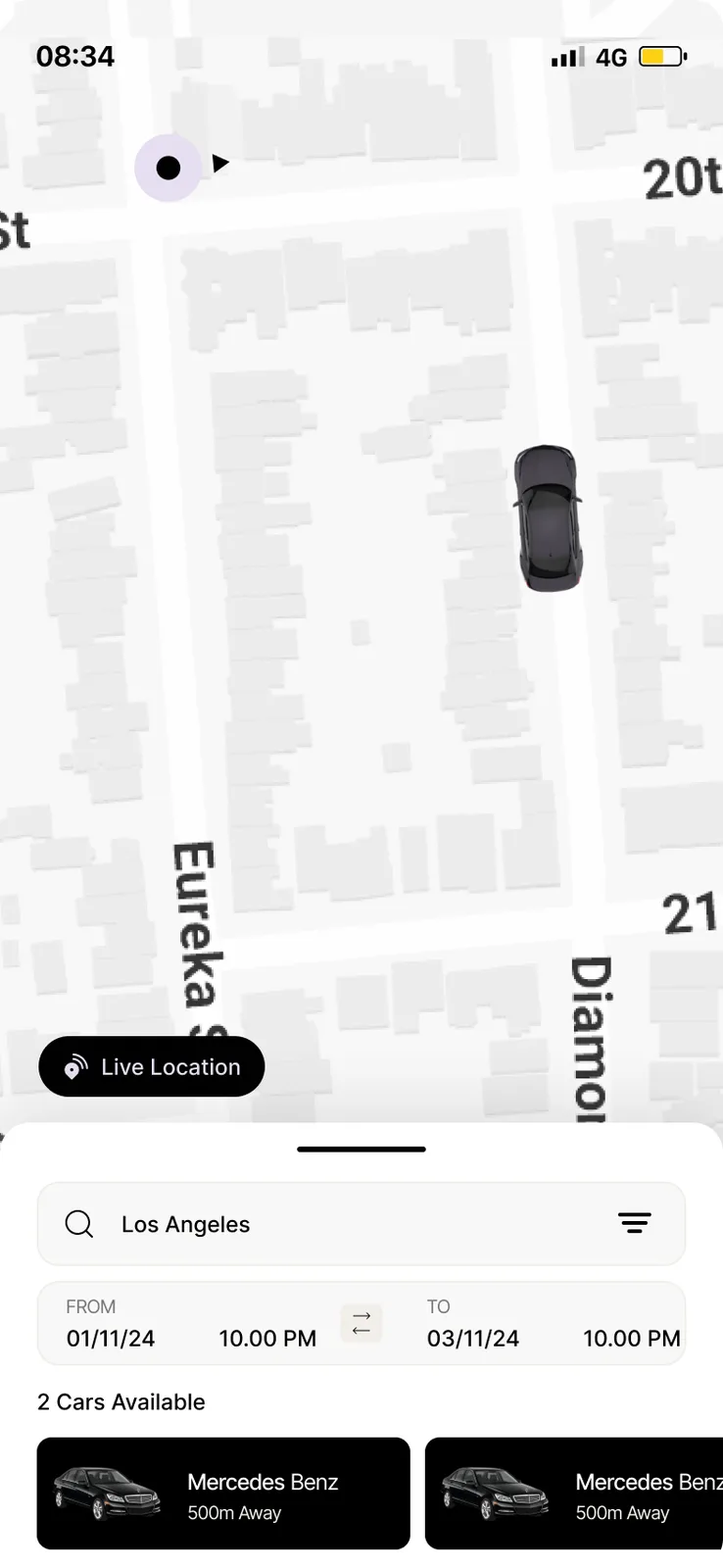
Search by city and a date range, then switch to a map with your live location and the cars near you.
Narrow it down.
Chips for Nearest, Recommended, Top Rated and Electric, plus an All Filters sheet.
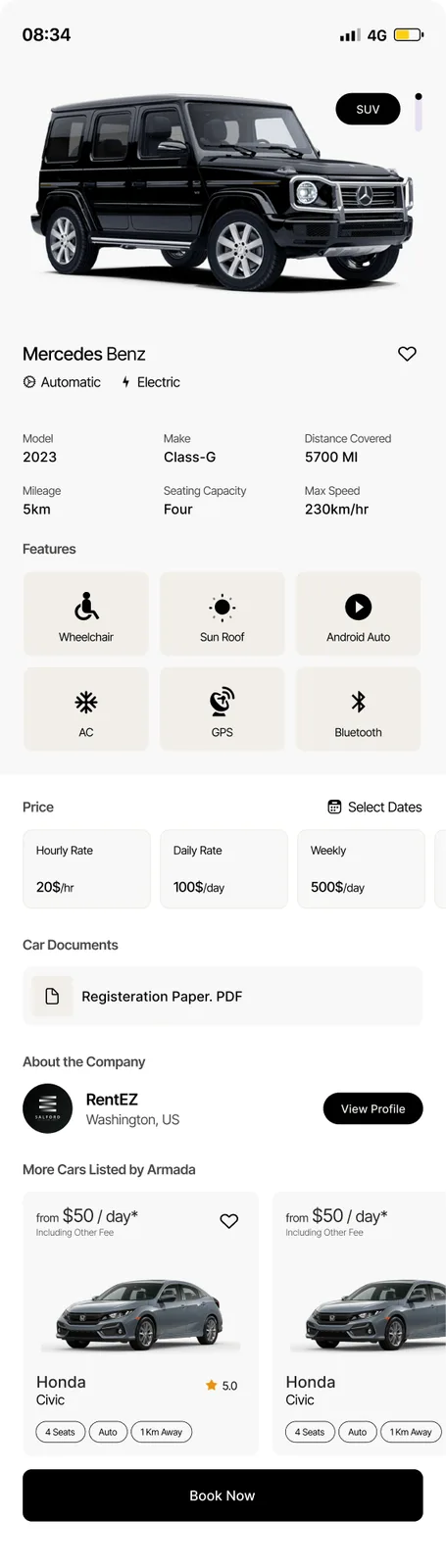
Rates by hour, day and week.
Photos, specs, feature icons and the company profile before you tap Book Now.
Three steps, one clear price.
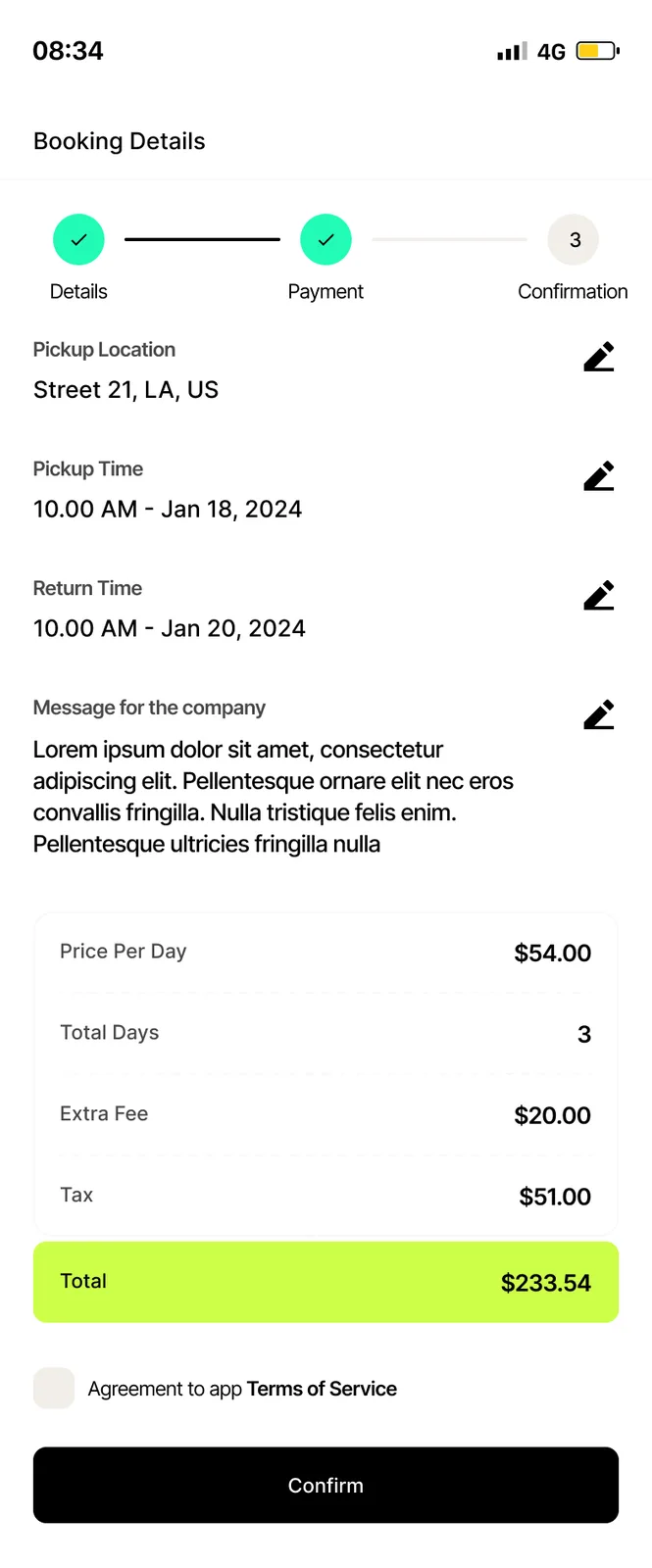
Details, Payment, Confirmation. Pickup place and time, an itemised price and a deposit notice.
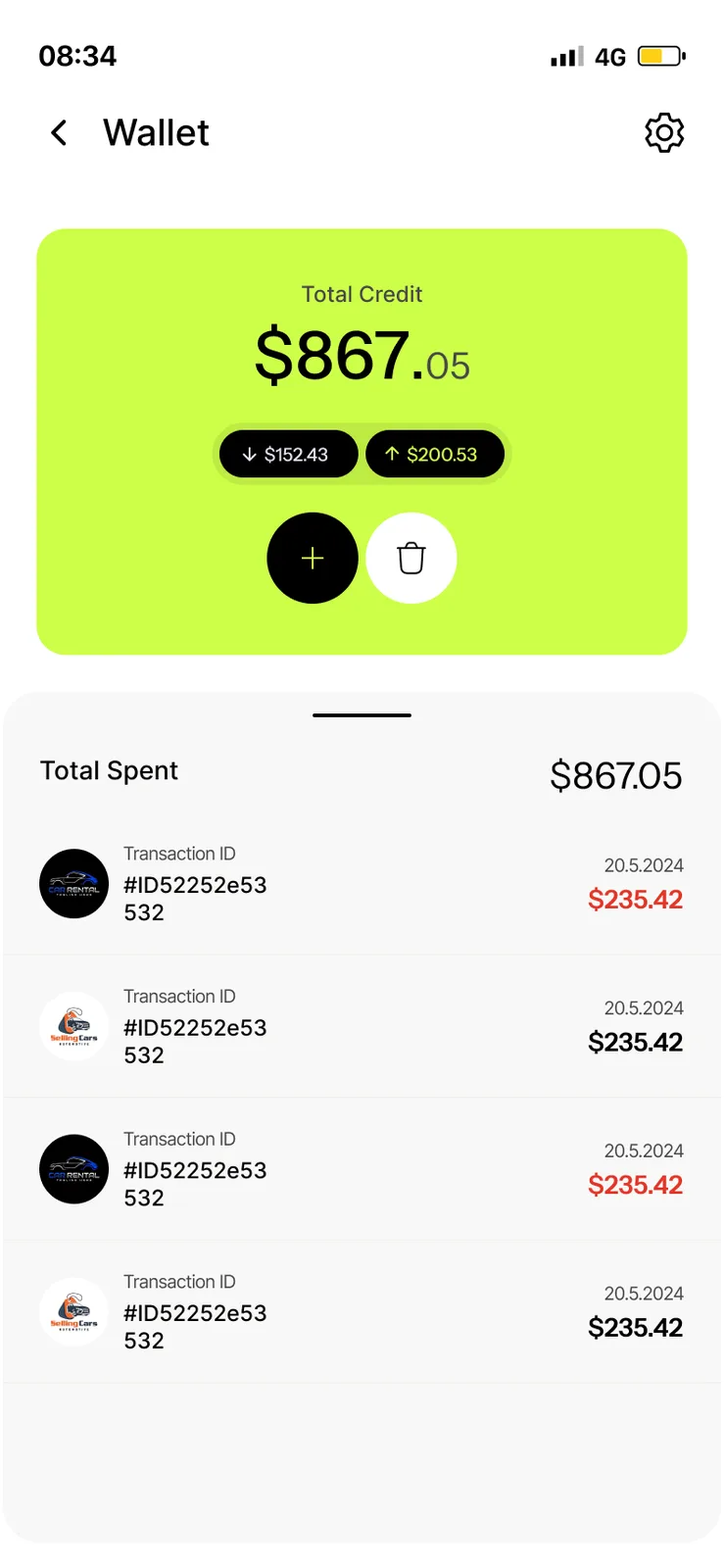
Credit in one lime card.
A total credit card, add and withdraw buttons and a list of transactions.
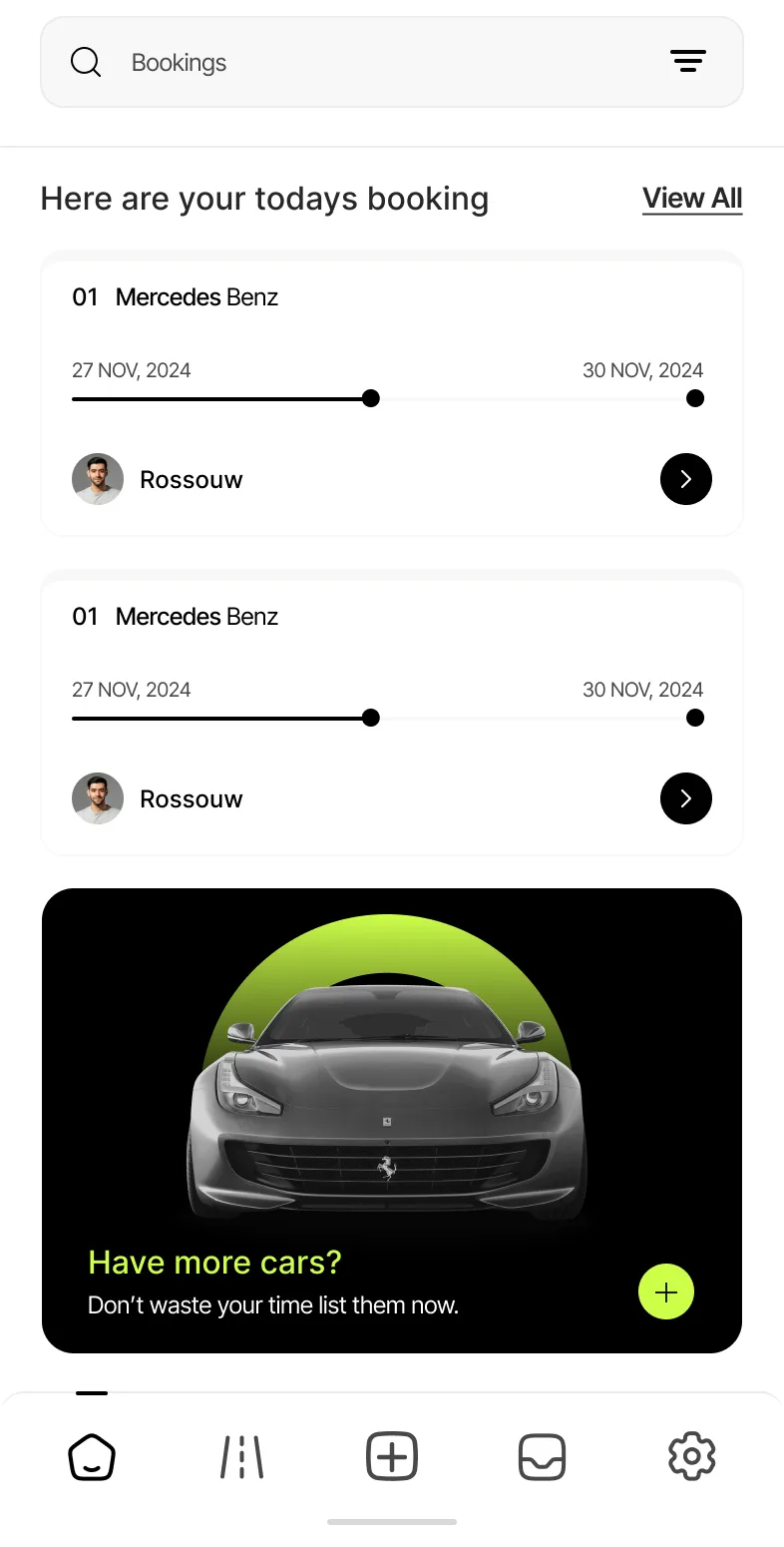
Owners list their cars.
A second app for owners and rental companies: today’s bookings and a banner to list another car.
How does a renter book a car?
The renter searches by city and dates, switches to the map to see cars nearby, opens one and checks its details and rates. Booking runs in three steps with an itemised price, and the wallet holds credit. On the other side, the host lists the car and sees bookings arrive.
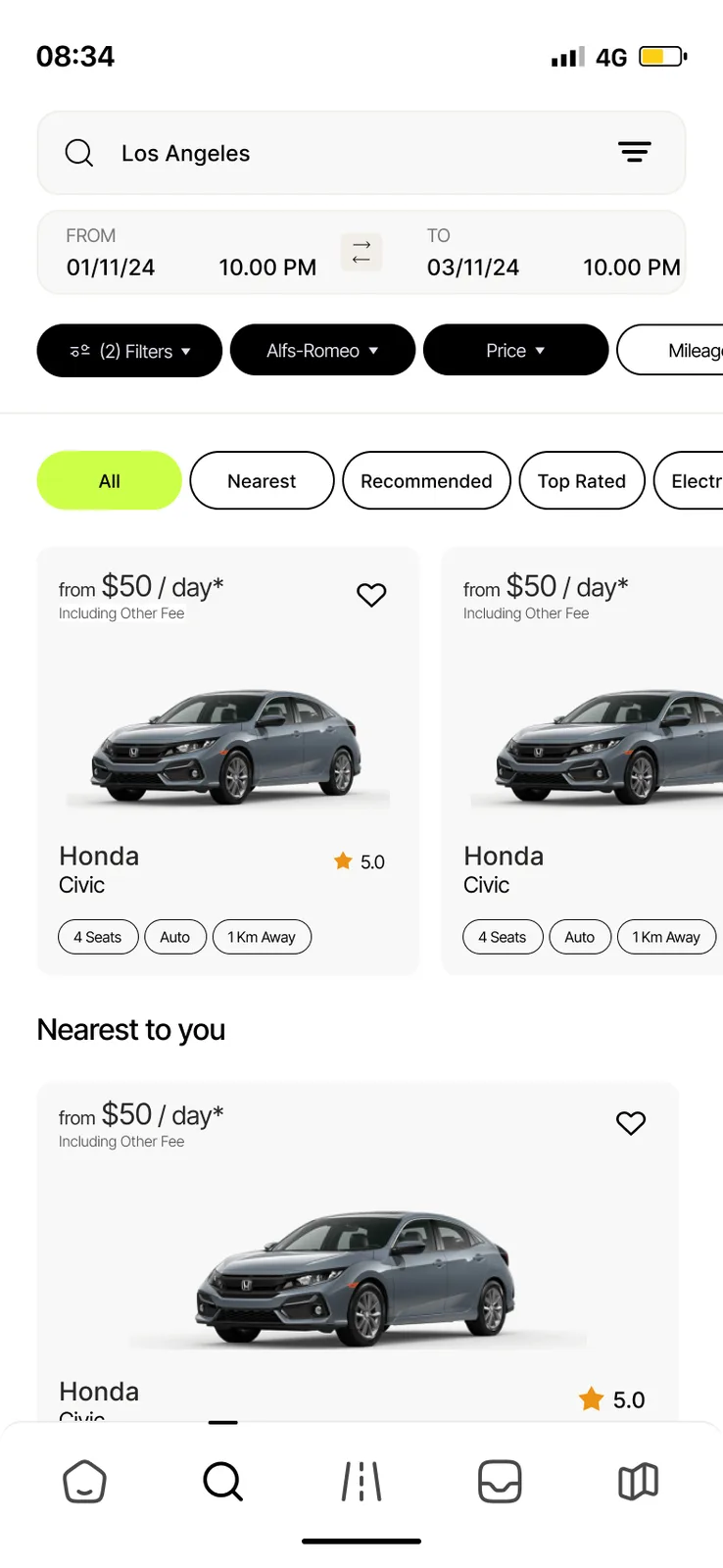
- SearchCity, pickup and return time, and chips like Nearest and Top Rated
- See the mapLive location and the cars close to you
- Open a carSpecs, features, and hourly, daily and weekly rates
- Book in three stepsDetails, Payment, Confirmation, with the price itemised
- Pay from the walletCredit, transactions and a deposit shown up front
- Host sideOwners list cars and see today’s bookings
The Armada screens
Keep scrolling to see more.
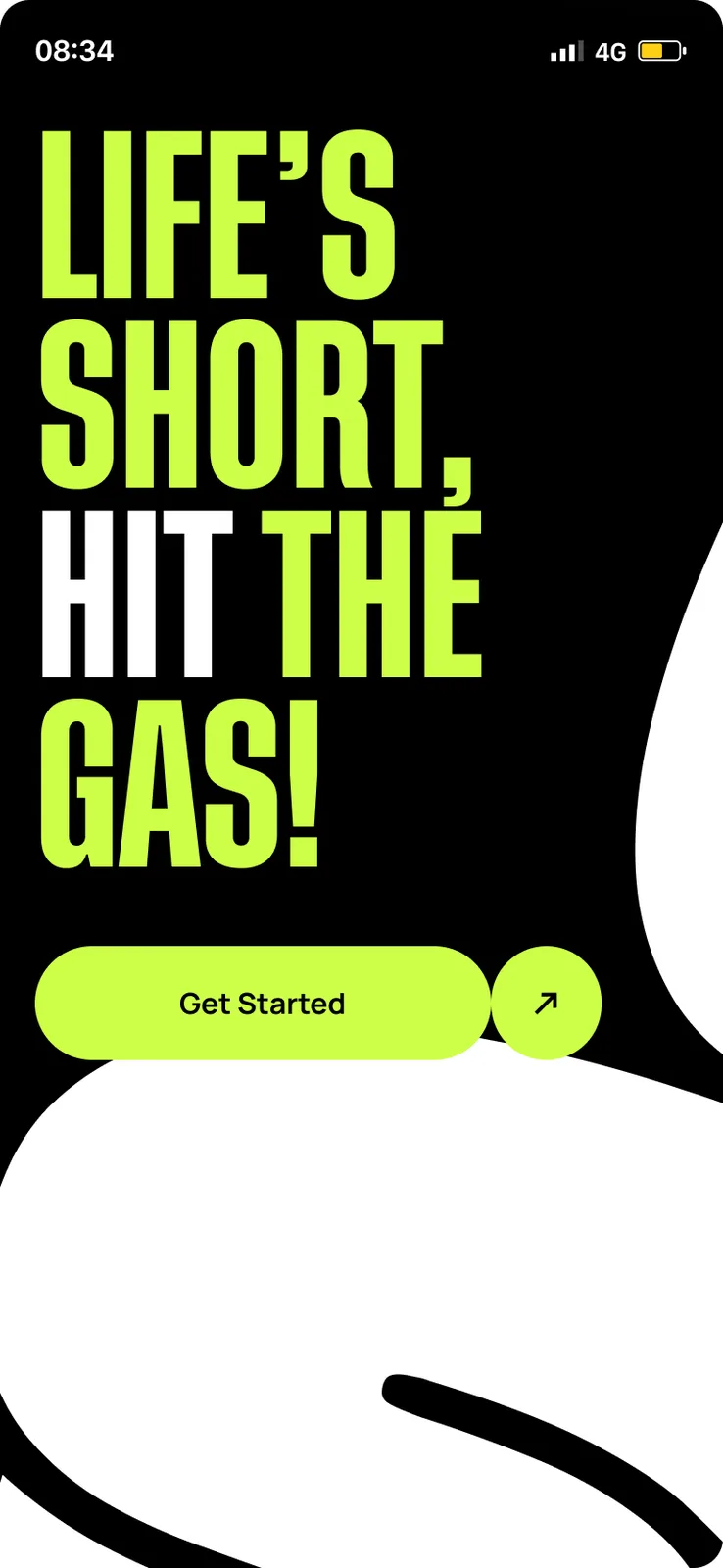
SplashGet Started
Renter homeSearch, SUV banner, destinations
SearchDates, chips and car cards
MapLive location, cars nearby
Car detailsSpecs, features, rates
BookingPickup, time and price
WalletCredit and transactions
Host homeToday’s bookings, list a car
Every screen we designed
58 screens from Armada, grouped by who uses them. Tap any screen to see it full size.
What is inside the app?
Designed as two phone apps on iPhone-sized screens: Renter and Host. Sign-in uses email or Google and Apple. Maps, payments and the wallet are the parts we would pick and test with you.
Questions about Armada
What can renters do in the Armada app?
Search by city and dates, use the map, filter by price, vehicle type, make, model, seats, transmission and fuel, open car details, book in three steps, chat with the company and rate the car after the trip.
What can hosts do?
List a car with photos, VIN, deposit, registration upload and hourly, daily and weekly rates. They then see listings, bookings, an inbox and a wallet.
How does the deposit work in the app?
The booking screen shows a deposit notice with the price breakdown. The screen text says the deposit is used only if the car needs service.
Can you build a rental marketplace for my fleet?
Yes. The same renter and host flow works for cars, vans or other rentals. Book a free AI plan call and we will map it to your fleet and your area.
 UrbanBloomAI plant care app
 UpkeepOperations software, app and AI assistant
 YoléFranchise operations and approvals
Want a marketplace like this?
Book a free call. Tell us who rents and who lists, and we will show you what to build first.
Build my project