
Notes AI: talk instead of type, then ask your notes
Ideas, meetings and lectures go by faster than anyone can type. We designed a phone app where you speak, it writes the note and a summary, files it in a folder, and lets you ask an AI about what you said.
What did BetterAI build for Notes AI?
The design of a voice notes app. You record or upload audio, watch a live transcript under a glowing voice orb, get an AI summary with insights, file the note in a folder, and chat with an AI by voice or text. Settings show the free trial and the upgrade.
What problem does Notes AI solve?
Capturing ideas by typing is slow, and notes you cannot find again are lost. Notes AI lets you say it instead, turns the recording into text with a summary, keeps it in folders and answers questions about it. It suits meetings, lectures and quick thoughts on the move.
See the full case study
What we built, the real screens, how it works and the tech behind it. Free, about 20 seconds.
What we built
Record, summarise, file and ask, all from a phone.
Talk. The note writes itself.
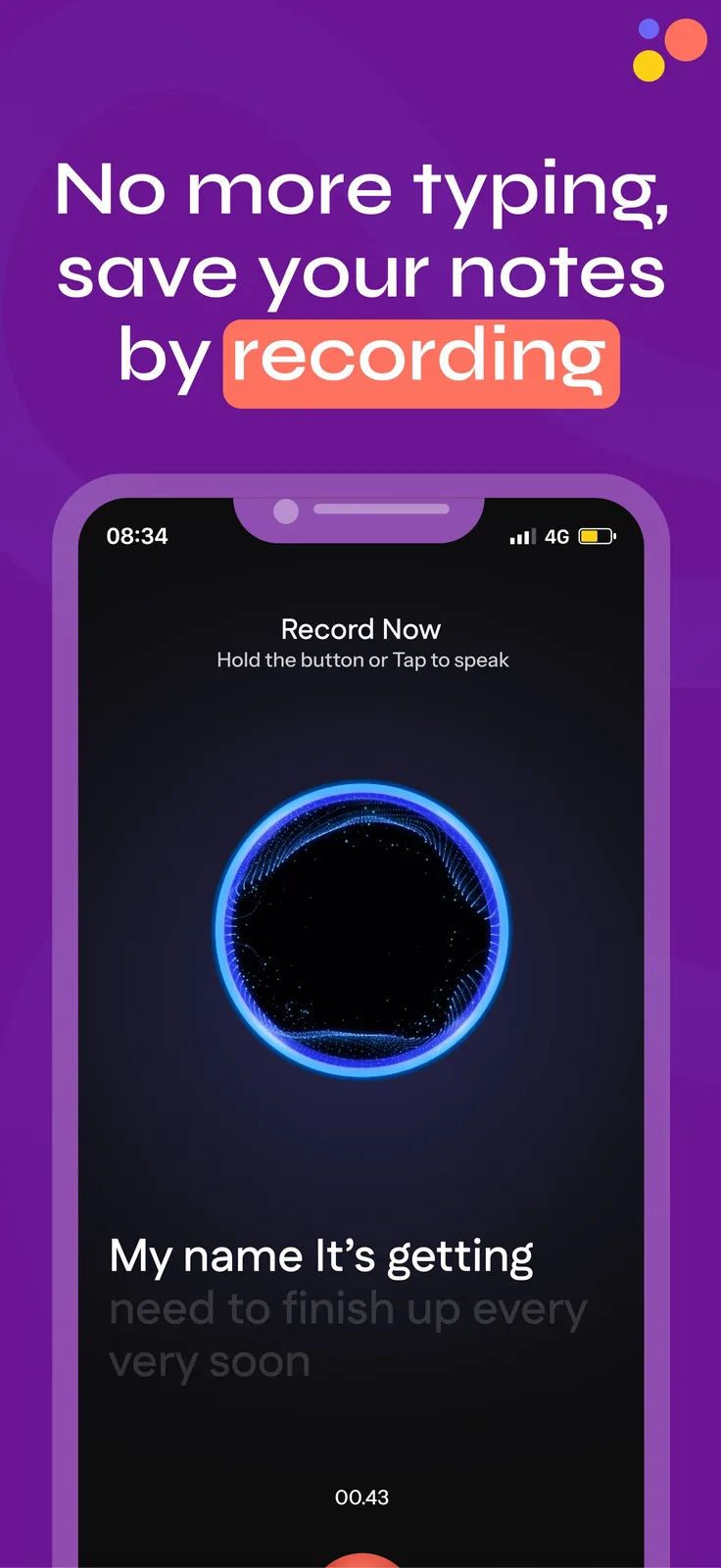
Hold the button or tap to speak. A live transcript appears under a glowing voice orb.
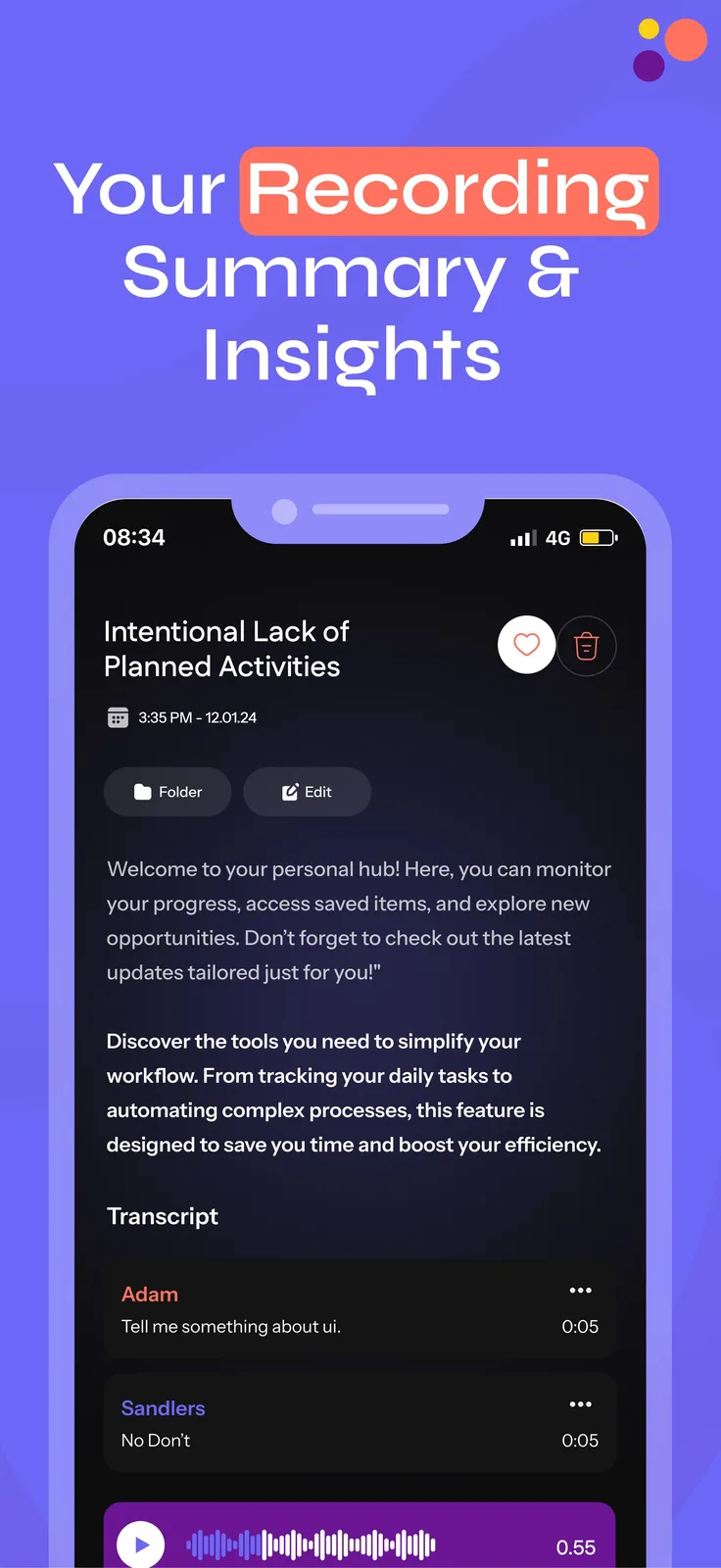
A summary and insights for each recording.
Open a note to see its title, summary and transcript, with an audio player and actions to favourite, edit or delete.
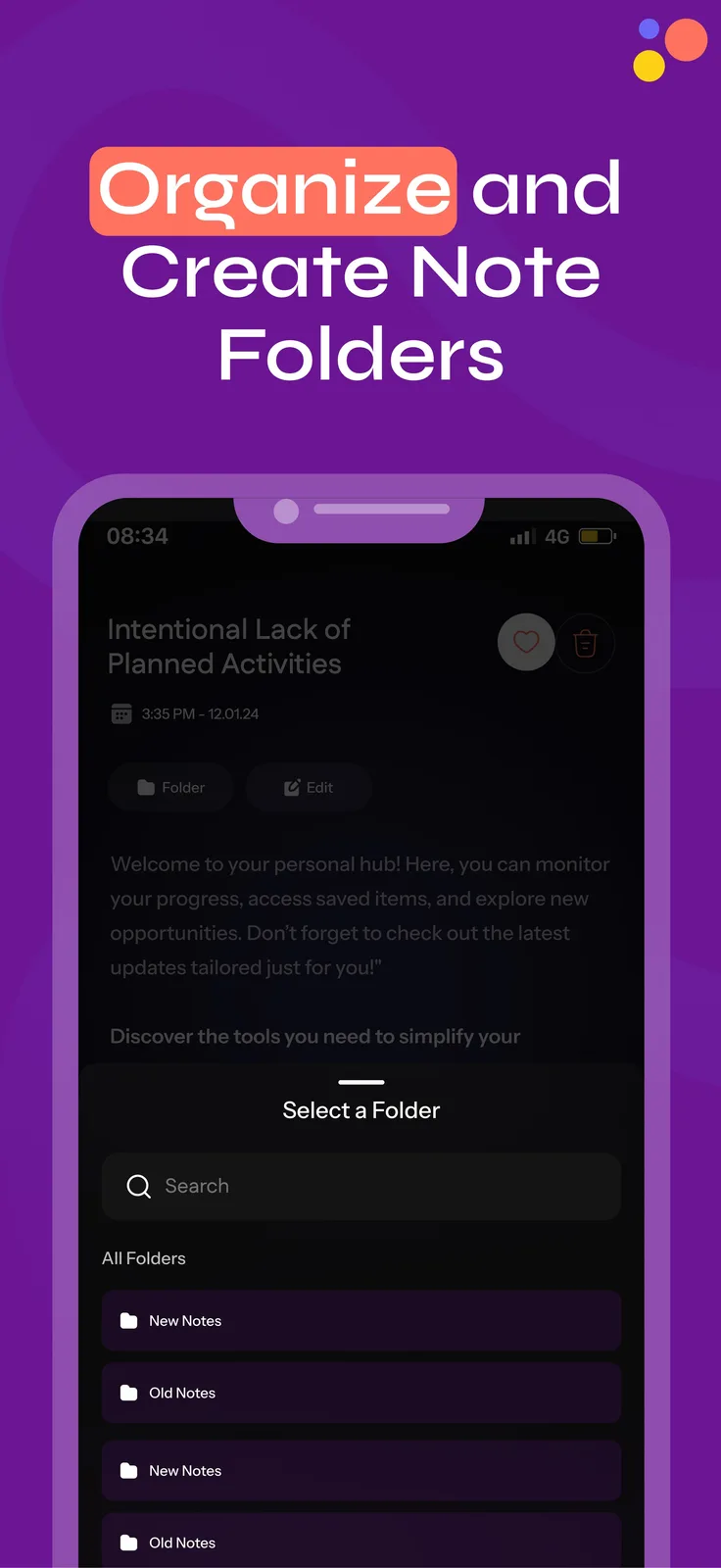
File it in a folder.
A Select a Folder sheet files the note, and you can create a new folder from the same sheet.
Colour-coded cards.
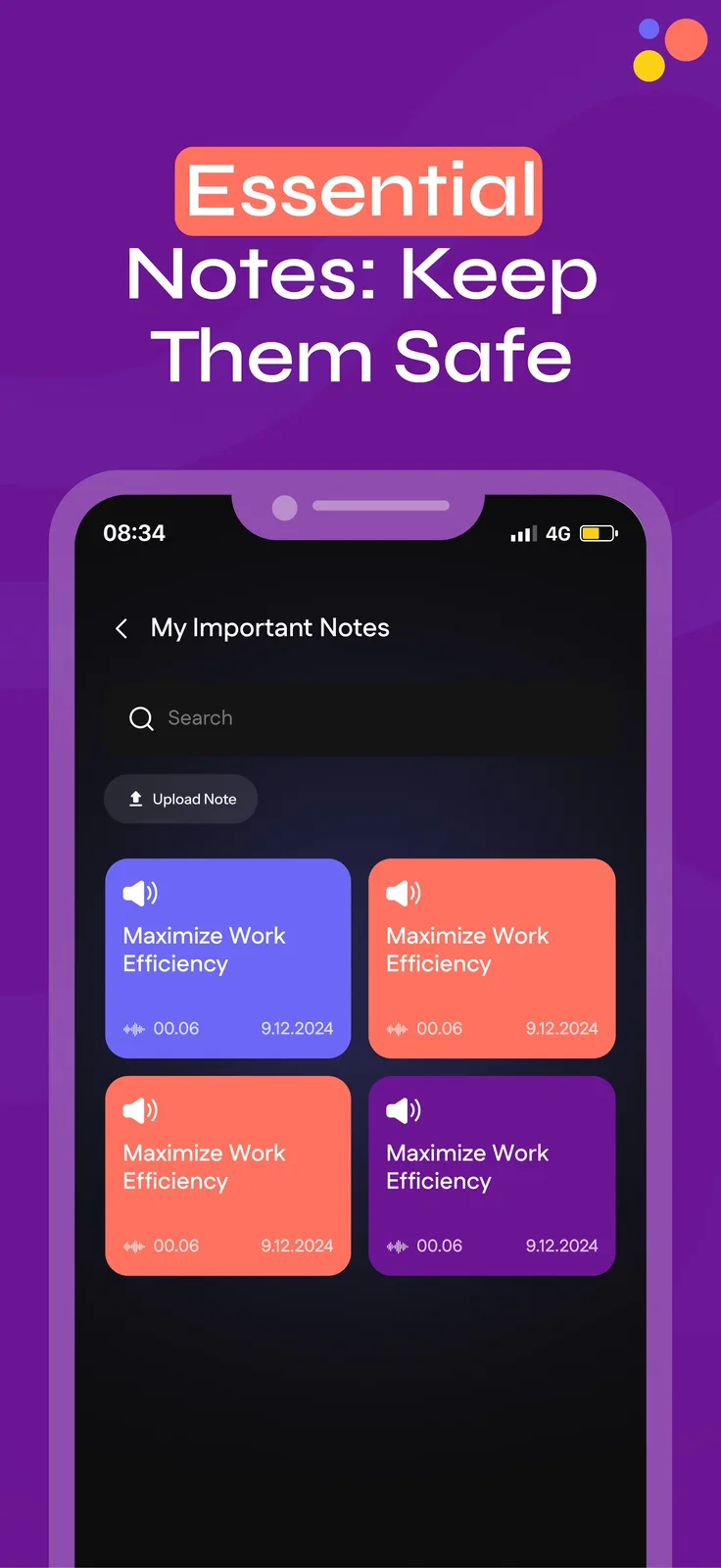
Notes sit in cards with their length and date, grouped as Notes Today and Notes Yesterday.
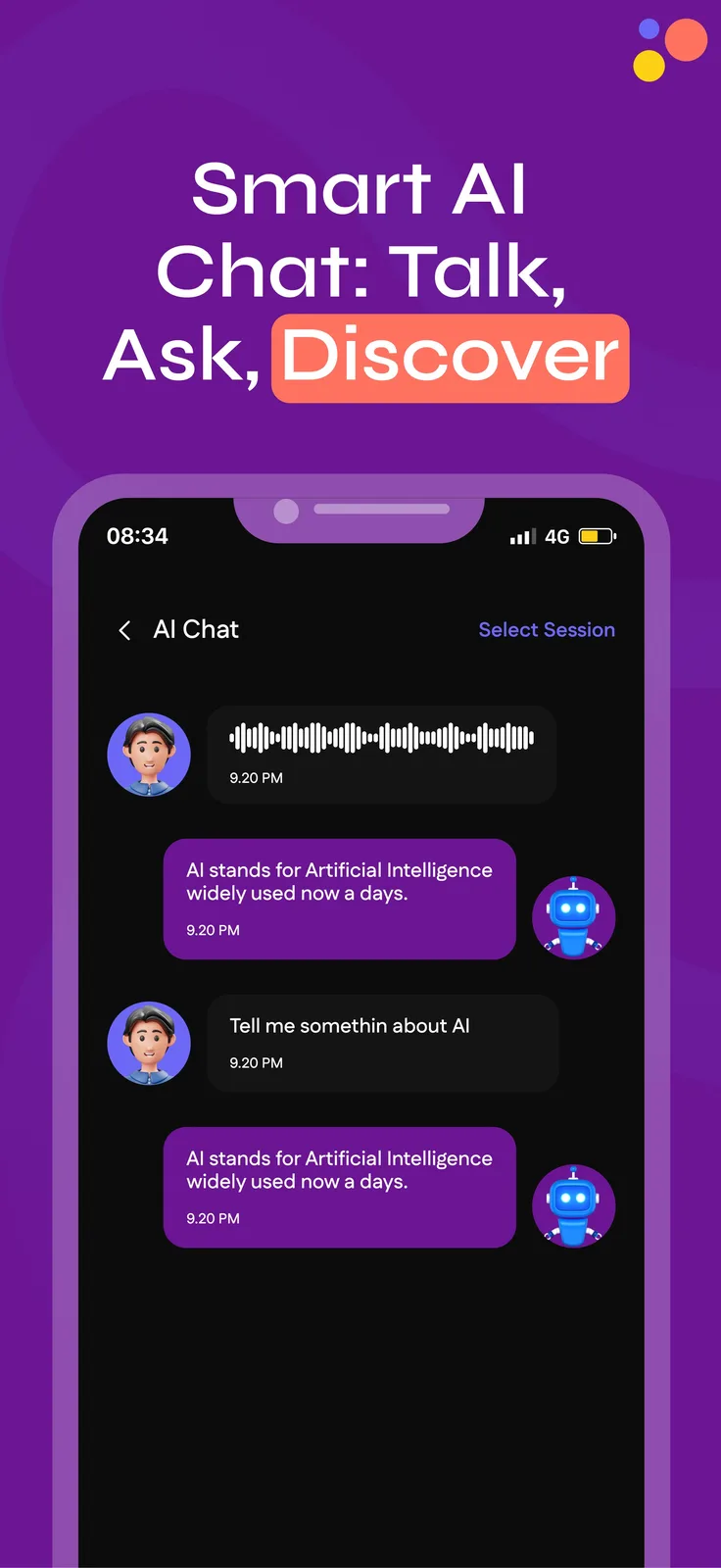
Ask your notes, by voice or text.
Send a voice message or type a question and the AI answers in chat bubbles.
Bring recordings in too.
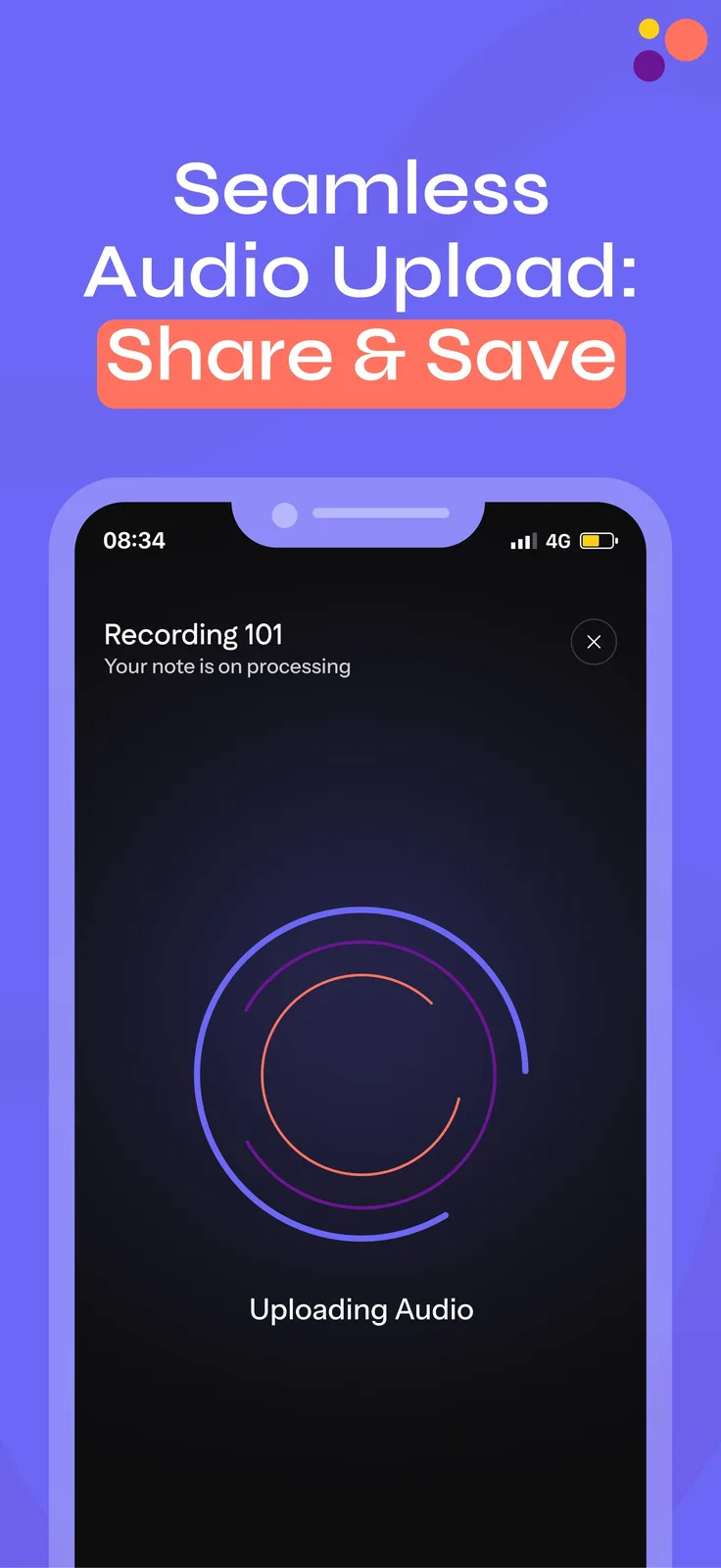
Upload audio you already have and the app shows a processing screen while it makes the note.
How does a recording become a note?
You tap the big mic and speak, and the live transcript appears under the voice orb. The app saves it as a note with a summary and insights. You file it in a folder, find it later in colour-coded cards, and ask the AI chat about it by voice or text.
- RecordHold the button or tap to speak, with a live transcript
- Read the summaryA title, summary, insights and the full transcript
- File itPick a folder or create a new one
- Find it againColour-coded cards grouped by day
- Ask the AIVoice or typed questions, answered in chat
- Upload audioAdd a recording you already have
The Notes AI screens
Keep scrolling to see more.
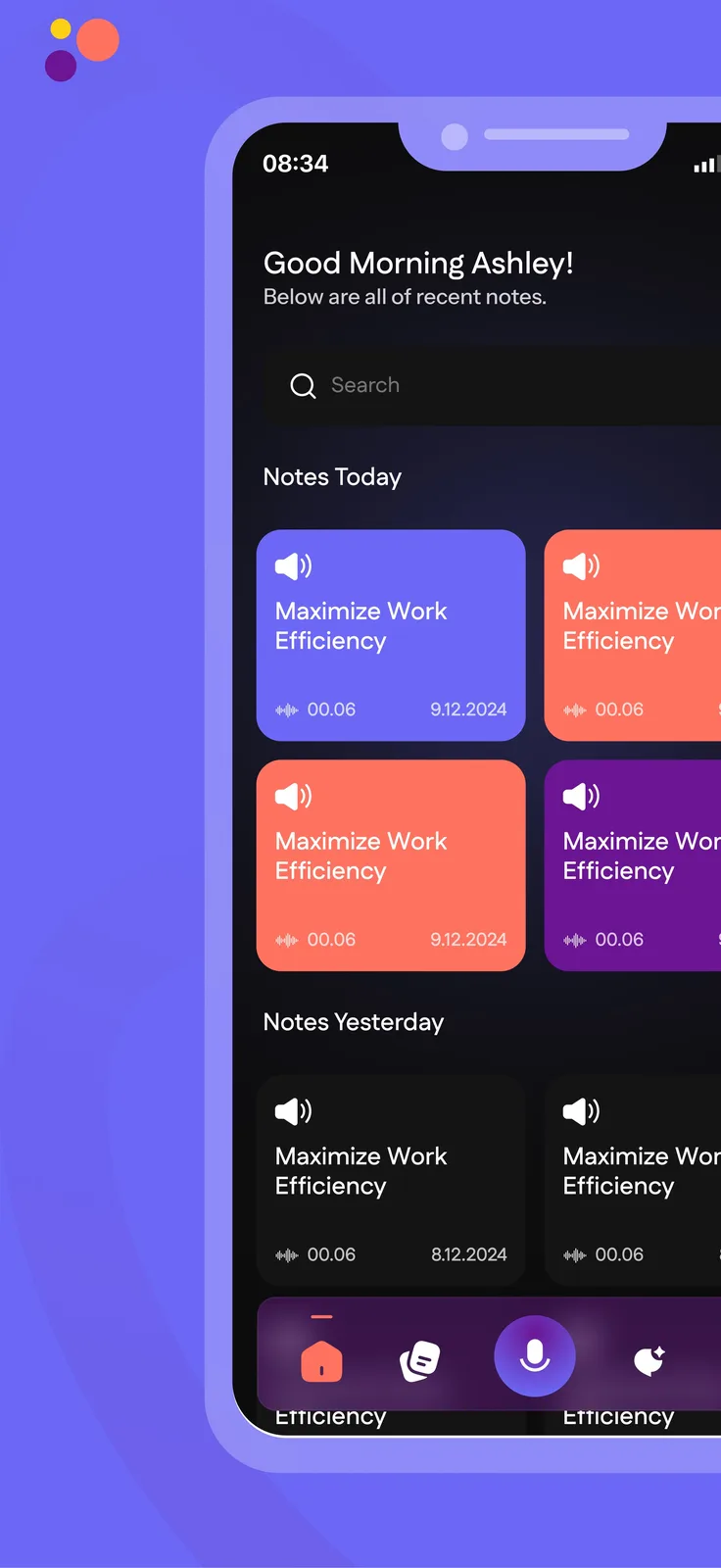
HomeSearch and notes by day
RecordLive transcript under the orb
SummarySummary, insights, transcript
FoldersOrganise and create folders
NotesColour-coded cards
AI chatTalk, ask, discover
UploadShare and save audio
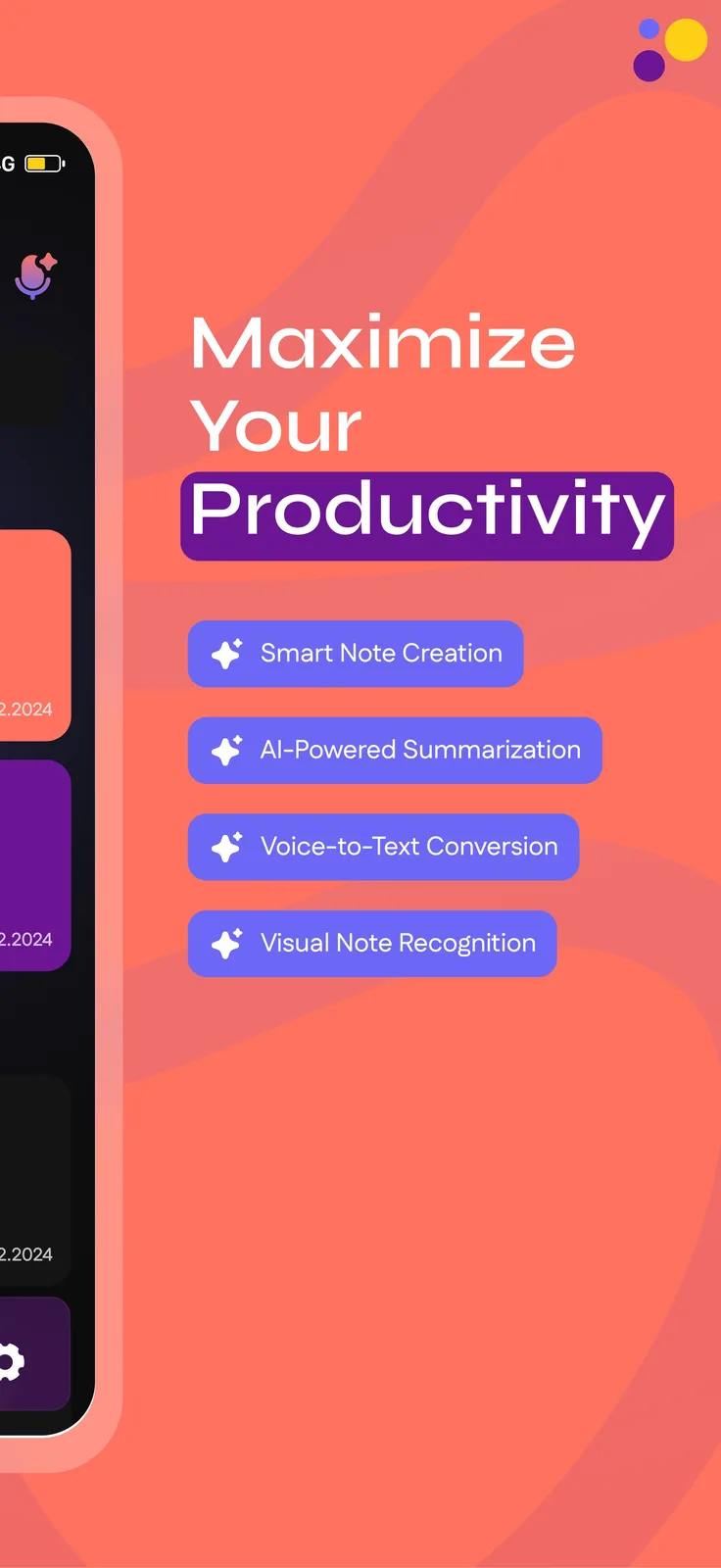
FeaturesSmart notes, summaries, voice to text
Every screen we designed
25 screens from Notes AI, grouped by who uses them. Tap any screen to see it full size.
What is inside the app?
Designed as iPhone-style screens, with a dark interface and purple, coral and periwinkle note cards. The feature list on the preview graphics names Smart Note Creation, AI-Powered Summarization, Voice-to-Text Conversion and Visual Note Recognition. The speech and summary models are chosen with the client.
Questions about Notes AI
What can the Notes AI app do?
It records or uploads audio, shows a live transcript, writes an AI summary with insights, files notes in folders and lets you chat with an AI about them by voice or text.
Who is a voice notes app for?
Busy professionals, students and anyone who captures ideas on the go, such as meetings, lectures and to-do thoughts. It is not tied to one industry.
Can I ask questions about my notes?
Yes. The AI Chat screen takes a voice message or a typed question and answers in chat bubbles.
Can you build a notes app for my team or product?
Yes. We can build the same record, summarise, file and ask flow around your use case, such as client calls or lectures. Book a free AI plan call to map it.
 UrbanBloomAI plant care app
 UpkeepOperations software, app and AI assistant
 YoléFranchise operations and approvals
Want an app like this?
Book a free call. Tell us what your people need to capture and we will show you what to build first.
Build my project